
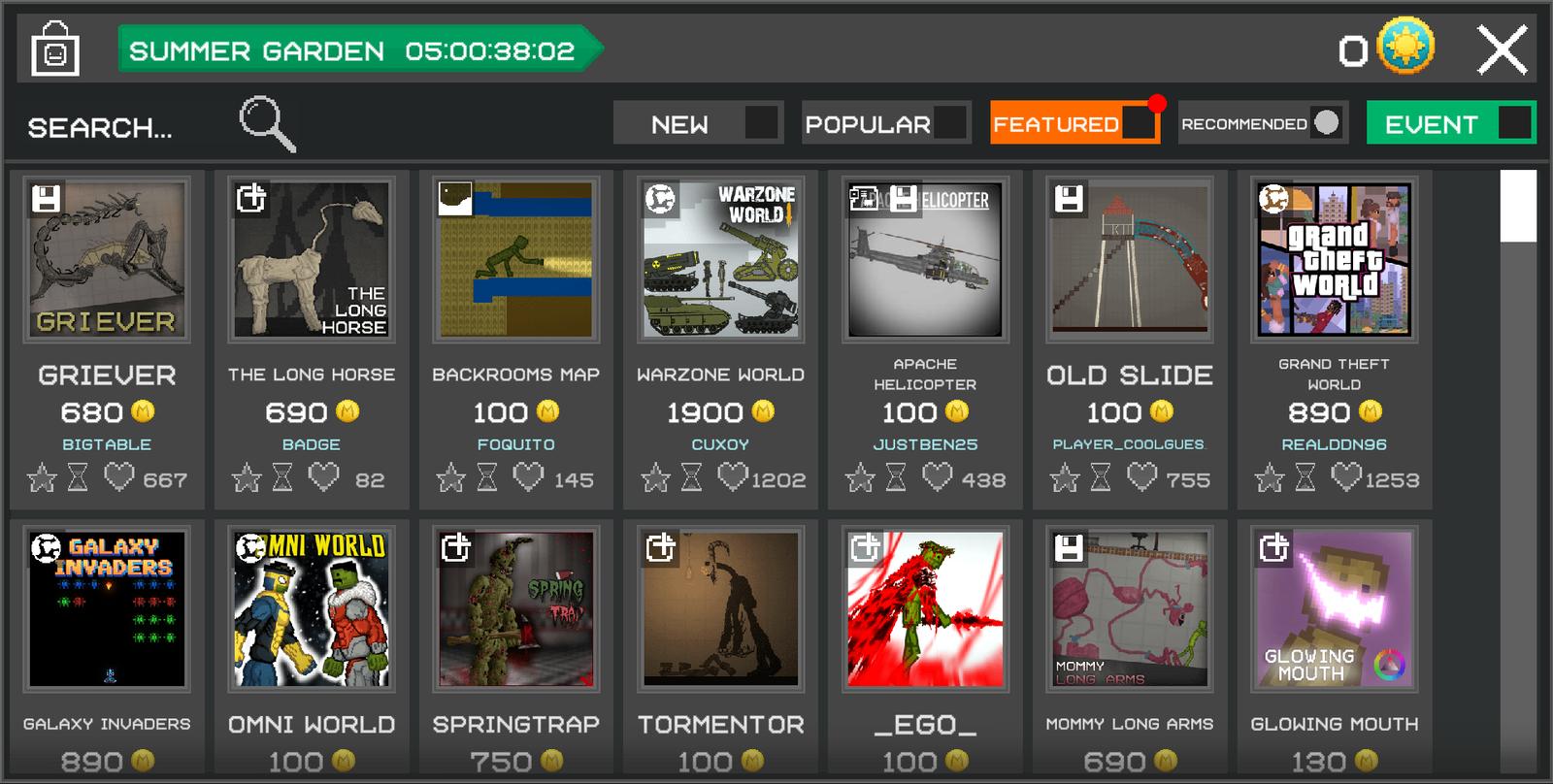
Step 1: Open the Workshop
Launch Melon Sandbox and tap the Store button on the main menu.
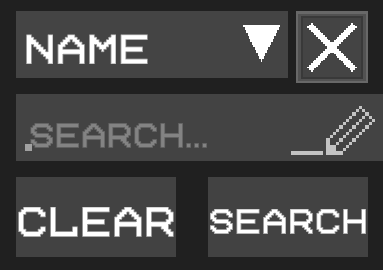
Step 2: Open the Search Filters
Tap the magnifying glass icon in the top left corner of the screen to open the Workshop search filters.
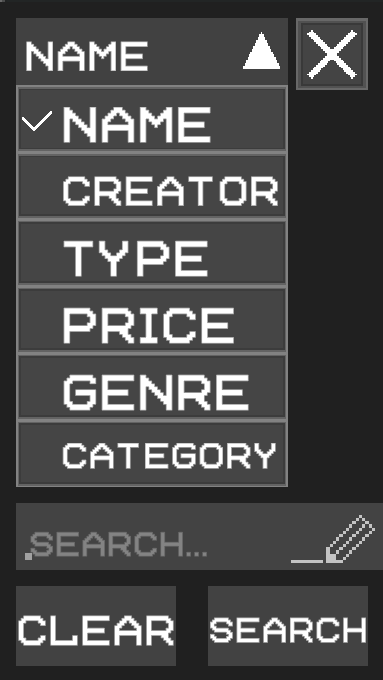
Step 3: Filter by Price
Tap the Name filter and change it to Price.
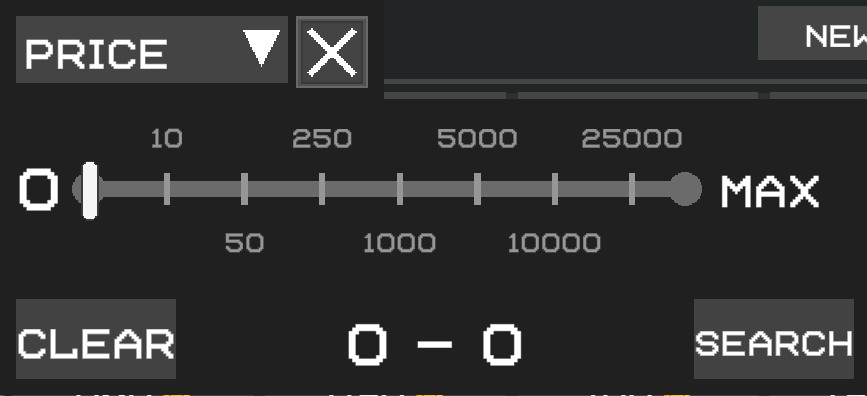
Step 4: Set the Price to Free
Drag the maximum price slider all the way to 0. This filters the Workshop to only show free mods.
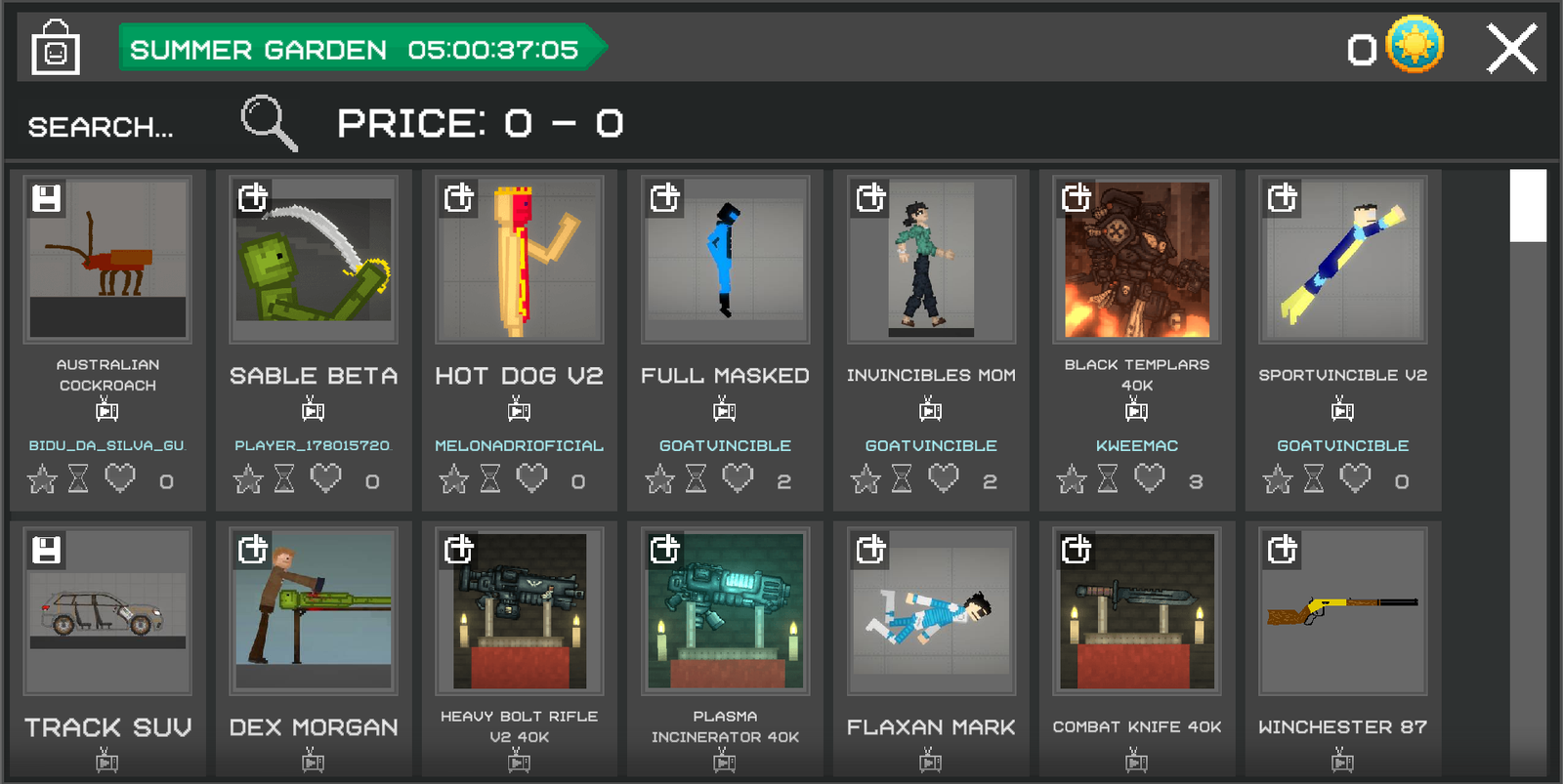
Step 5: Search
Tap Search to apply the filter. The Workshop will now only display free mods that you can download without spending any Melcoins.
Looking for the Best Free Mods?
Check out the video below to see some of the best free Melon Sandbox mods.